
Generic Webhook
Use this Webhook to stream your API's Performance metrics & events to any custom downstream systems.
How to Configure the Generic Webhook
Start by navigating to your desired project. Choose Alerts & Webhooks from the left-hand navigation bar.
- Click the "+ Add new action" button.
- Select Generic from the Type dropdown.
- Enter a clear Name for your webhook (e.g., Generic Performance Events Webhook).
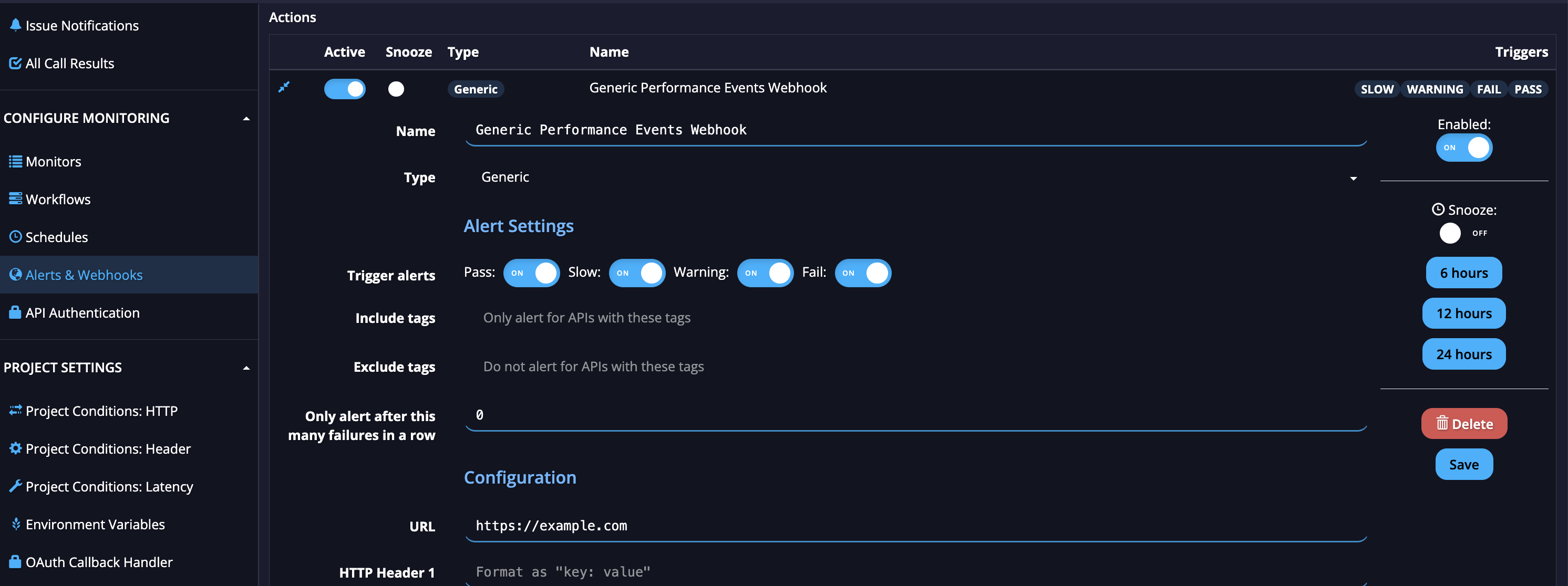
Alert Settings
- Trigger alerts: Toggle the event types (Pass, Slow, Warning, Fail) you want to send to your downstream system.
- Tags (Optional): Use the Include tags and Exclude tags fields to filter exactly which APIs should trigger these alerts.
- Threshold: Set a number for "Only alert after this many failures in a row" to avoid noisy alerting (leave as 0 to alert on every event).
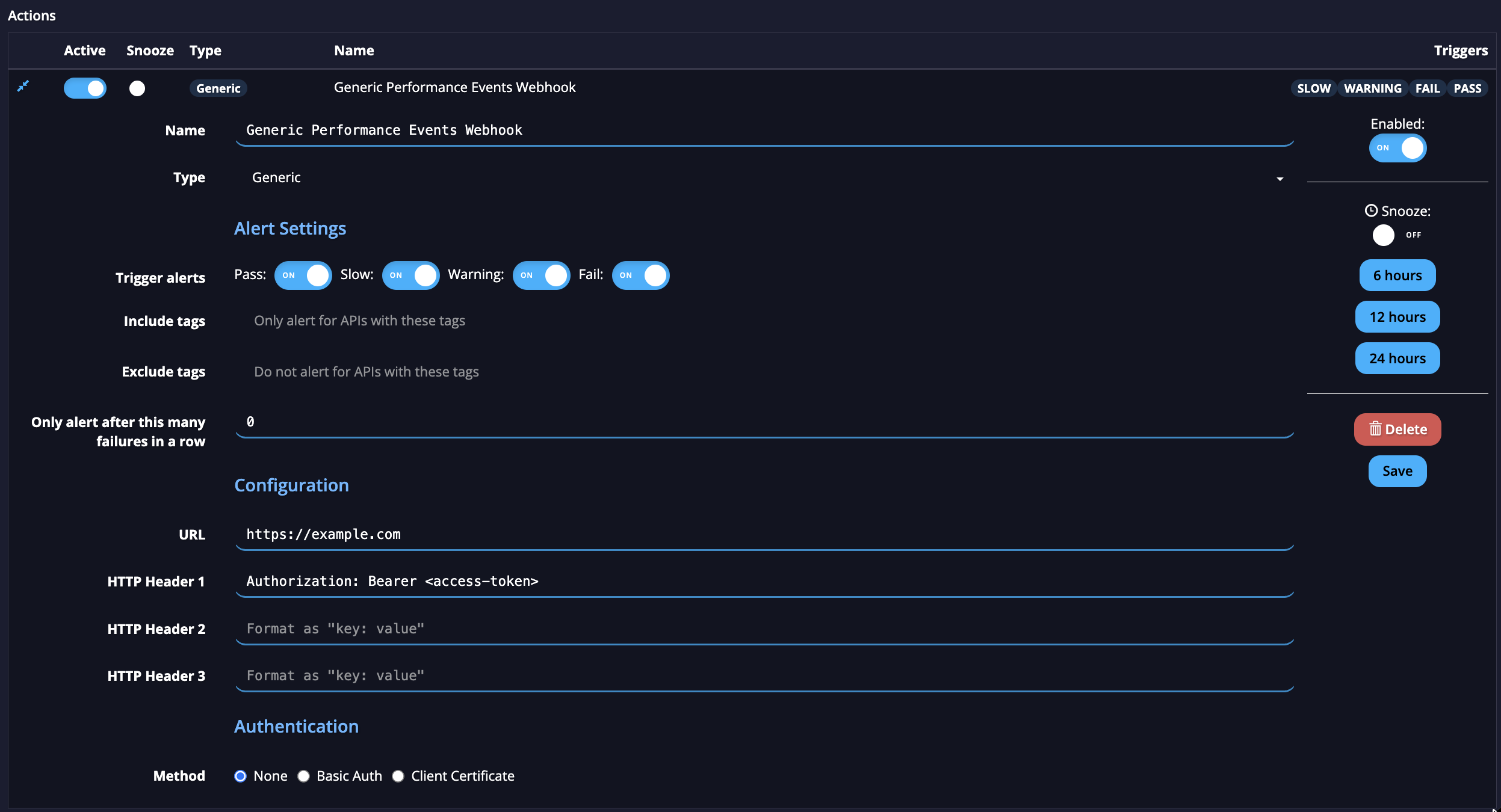
Configuration
- URL: Enter the publicly accessible destination URL for your downstream system or service.
- HTTP Headers (Optional): Add up to three custom headers if required by your receiving system (e.g., Authorization: Bearer [access-token]). Make sure to use the exact "key: value" format.
Authentication
- Method: Choose the authentication type your downstream server requires (None, Basic Auth, or Client Certificate).
Save and Manage
- Ensure the Enabled toggle on the right side of the screen is set to ON, and click Save.
Note: Once configured, you can edit these settings at any time by clicking on the webhook. You can also use the right-hand panel to temporarily Snooze alerts for 6, 12, or 24 hours, or temporarily disable the webhook entirely without deleting it.
Updated 7 months ago